 Bolt
BoltArrange multiple Mac displays to match your real desk.
BoltKVM keeps this Mac's display group fixed and lets you position the other Mac's group around it. Side by side, stacked, offset, or mixed: only the boundaries you align become places where the pointer can cross.
The topology editor represents the physical desk.
Each rectangle is a real display already owned by macOS. BoltKVM reads those display groups and lets you move the remote Mac's group as a unit. It does not reconfigure resolution, scaling, rotation, or the native arrangement inside either Mac.
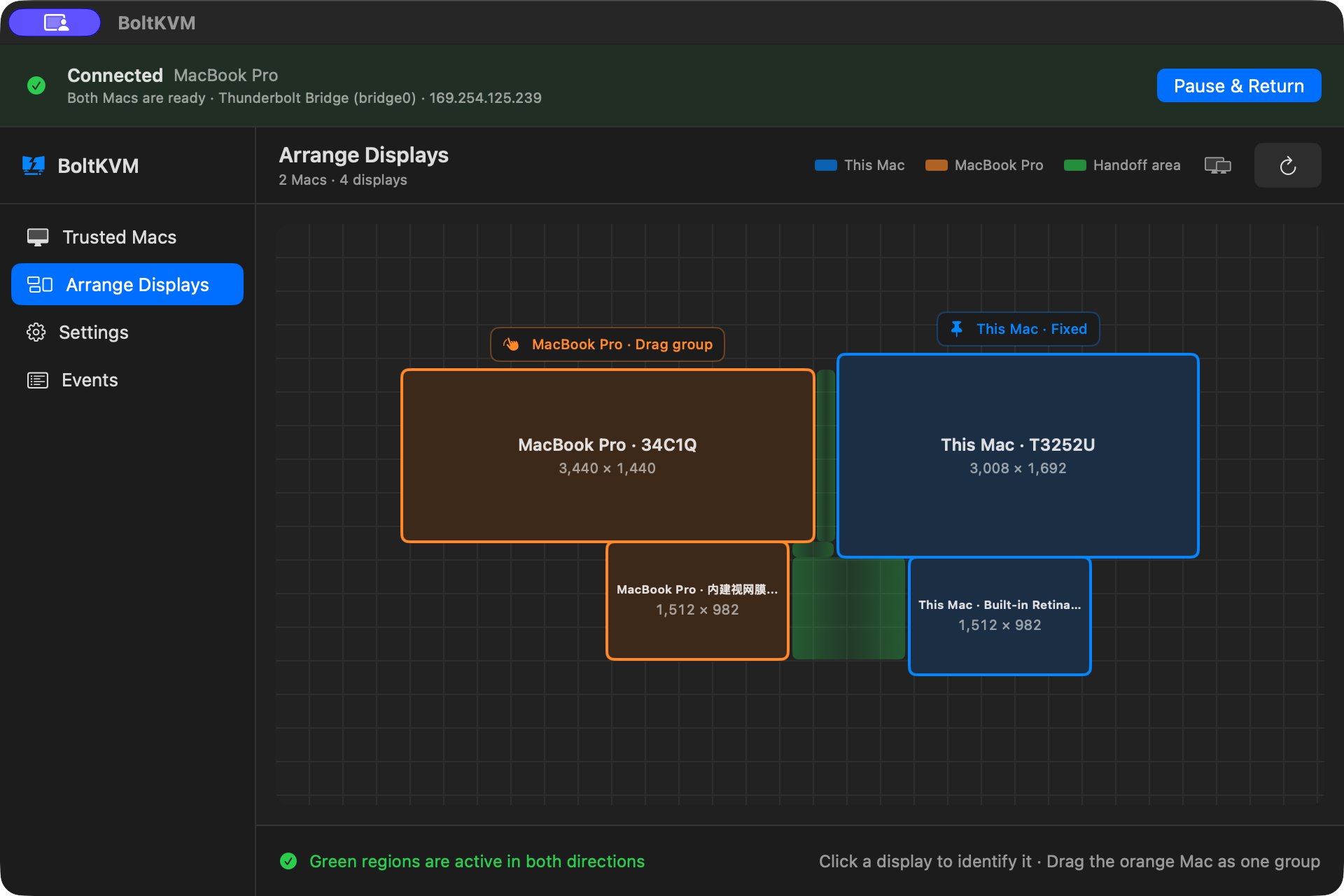
Build the boundary that matches your reach.
You can place the second Mac's group to the left, right, above, below, or at an offset from the local group. A boundary becomes active only where the groups touch, so an arbitrary diagram does not create invisible crossing zones.
Cross where the screens meet
Move the pointer through an aligned edge to hand input to the other Mac. Keyboard input follows the active pointer destination. Cross a valid edge back, or use Quick Switch, to return.
Keep native display ownership
This is input topology, not a virtual display wall. Applications, windows, colors, resolution, and video remain on the Mac that owns each display.
What BoltKVM does not rearrange.
- It does not move application windows between Macs.
- It does not merge the displays into one macOS desktop.
- It does not stream, capture, resize, or encode either screen.
- It does not override macOS display settings.
- It does not allow a handoff through a boundary outside the current valid layout.
These boundaries are deliberate: the visual desk remains native, while only trusted input control moves between computers.
Connect the topology to the workflow.
Multi-display Mac KVM FAQ.
Can each Mac have more than one display?
Can I place displays in any order?
Does BoltKVM move windows between Macs?
What happens after a display changes?
Make the on-screen map match the desk.
See the real BoltKVM editor and review the two-Mac setup requirements.